Configuring WiFi on Debian Buster
I just installed the latest version of Debian on my personal computer. So far everything is going well, but as expected, there are some extra configurations needed to get WiFi working. Here are the steps I followed:
The first thing is to know exactly the model of the WiFi device controller, using the following command you can get that information:
$ lspci | grep -i network
The output of this command is something like this:
06:00.0 Network controller: Broadcom Limited BCM43142 802.11b/g/n (rev 01)
Therefore, the model of the controller is BCM43142, following these instructions specific for certain controllers. Following those steps should be all set to connect to a WiFi network, but for some reason, this was happening:

It seemed that the NetworkManager GUI was trying to connect to the WiFi network but was failing and aborting the process. What was going on?
To find out, the first option is to check with dmesg
$ sudo dmesg
The output turned out like this:
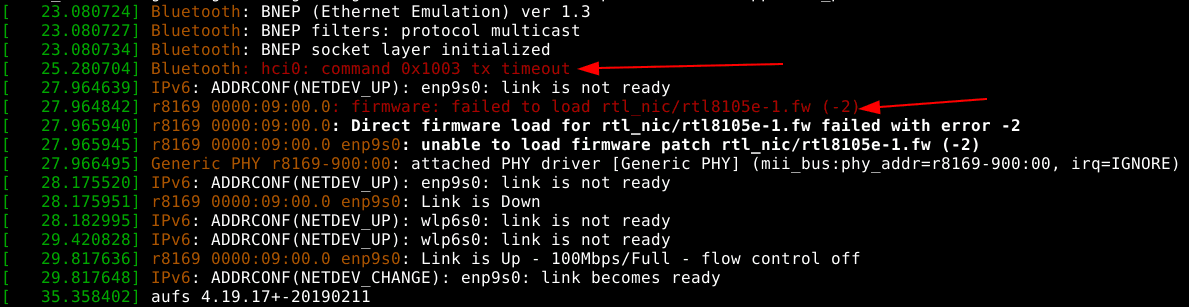
I didn't have the firmware installed xD. Just modify the sources.list by adding the non-free packages:
# /etc/apt/sources.listdeb http://ftp.de.debian.org/debian buster main non-freedeb-src http://ftp.de.debian.org/debian buster main non-free
And install the firmware:
$ sudo apt update$ sudo apt install firmware-realtek
And that's it!